
Load Status Automation - Load Status Update Request
|
Automate your TL Statuses New to EZ Loader TMS - Request an update from your carrier and receive automated email updates and status updates based on what they choose.
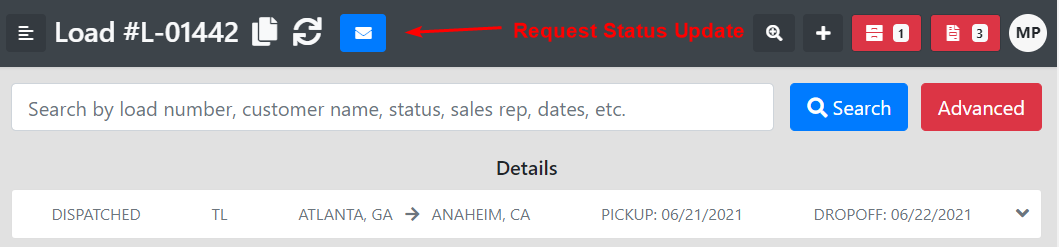
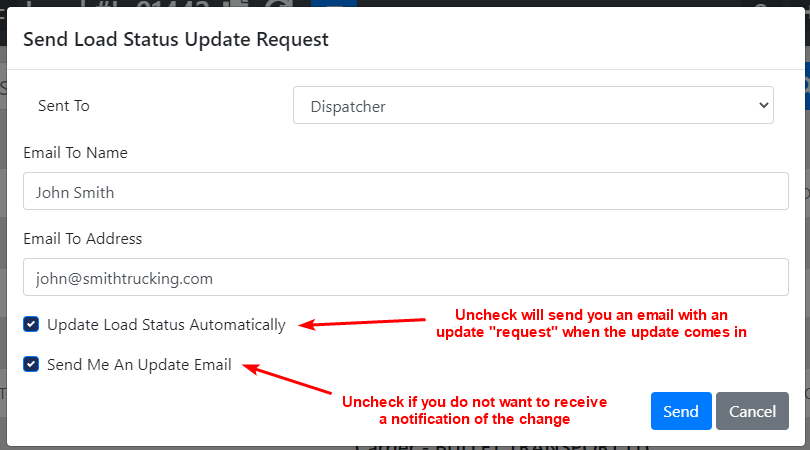
You will see an Envelope Icon show up in the header of your truckload loads. Click on this to request a status update from your carrier.
|
|
|
|
|
|
|
|
This will prompt an email to the dispatcher or driver on the load that looks like this: Hello, Please give us an update for Load L-01442 by clicking one of the links below Link to Load Status Update Load:L-01442 Status: Dispatched Equipment Type: CONESTOGA Origin - SUNTRUST PARK 123 BRAVES ROAD ATLANTA ,GA 30339 6/21/2021 -- 08:00 AM - 05:00 PM BRAD -- (423) 664-3004 Destination - ANGEL STADIUM 2000 E GENE AUTRY WAY ANAHEIM ,CA 92806 6/22/2021 Ben |
|
|
|
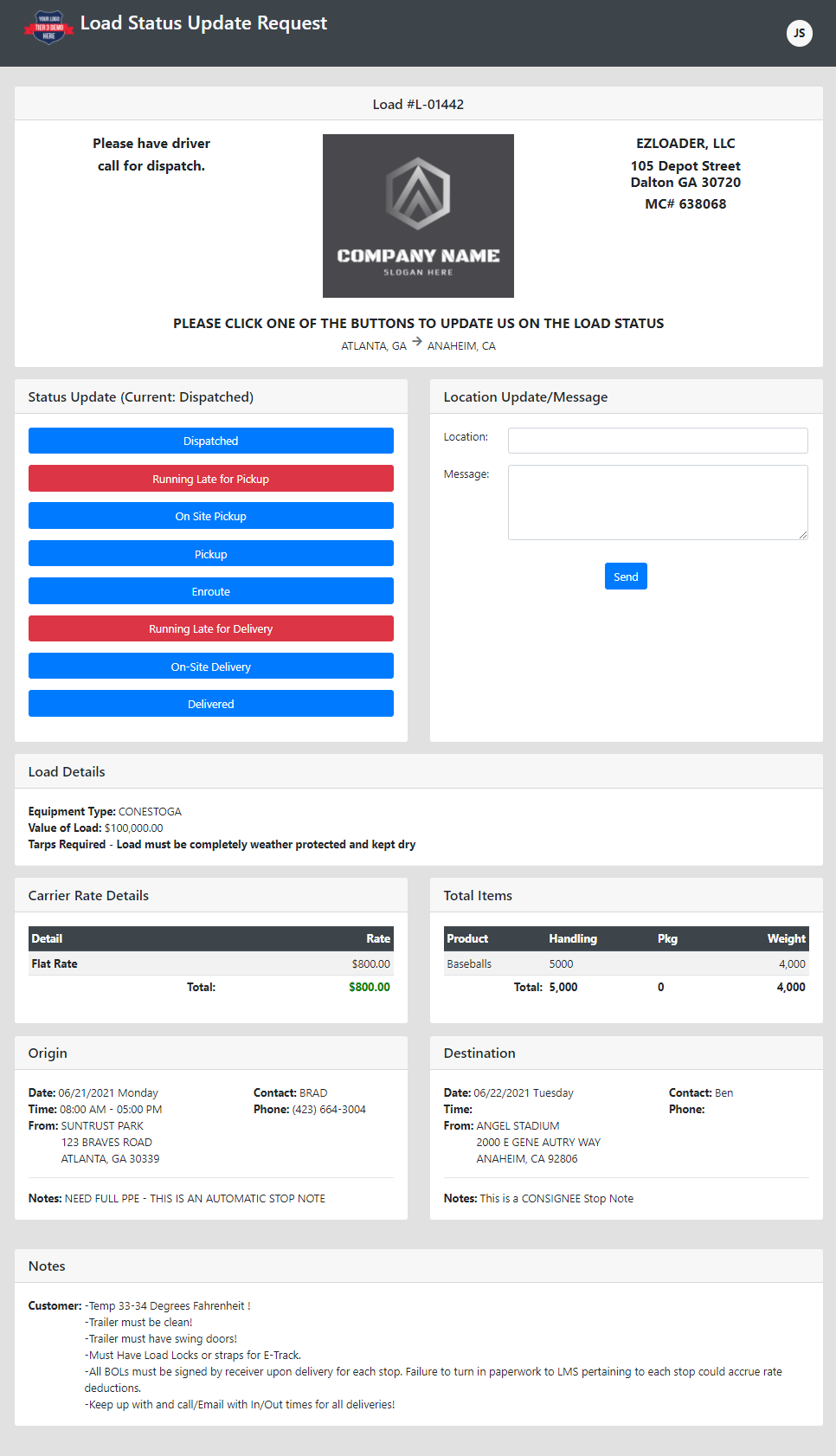
The carrier clicks the link and is taken to an update page where they are given these options: |
|
|
|
After clicking one of the red or blue buttons above to give an update on the load page, you will receive an update email (if that option was checked). If you chose for the load status to be auto-updated your email notification will look like this: "Load # L-01442 The load status has been changed from Dispatched to On Site Pickup {Load Details}" |
|
|
|
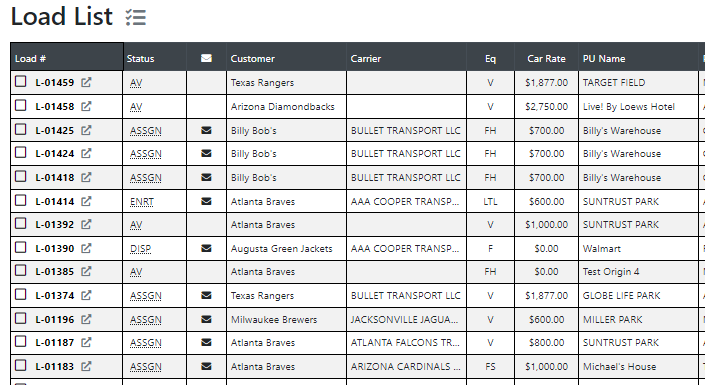
Quick Request a Status Update from the Load List You will also see the status update icon on the load list so you can run several requests quickly. Get an update on all of your |
|
|
|
|
|
Give Us Some Feedback
What do you think of this new feature? What other things could we do to better automate and help shave the minutes for your throughout the day? Let us know!
Thanks again for choosing EZ Loader TMS!
|